



LivePlan vs Venturekit: Comprehensive Business Planning Software Comparison


Jump to

Choosing the right business planning software is crucial for entrepreneurs and small business owners looking to launch or grow their ventures. In this detailed comparison, we’ll examine LivePlan and Venturekit, two popular business planning platforms that help users create professional business plans and financial forecasts.
While both tools aim to simplify the business planning process, there are significant differences in functionality, features, and overall value that potential users should consider before making a decision. In a separate article, we spent over 15 hours testing and ranking different AI business plan creators, including LivePlan and Venturekit. This analysis will provide a deeper look at what the two tools offer to help you determine which solution best fits your business planning needs.
Quick Comparison Summary
Feature | LivePlan | Venturekit |
|---|---|---|
Accounting Integrations | QuickBooks & Xero | None |
Performance Dashboard | Comprehensive | None |
Sample Business Plans | 550+ | Limited examples |
Industry Data | Professional research firm report included | None |
Plan Customization | Fully customizable | Limited options |
Financial Forecasting | Detailed and customizable | Basic and limited |
Scenario Planning | Multiple scenarios | None |
AI Writing Assistant | Business-specific, learns as you go | Generic templates |
Real-Time Forecast Updates | Yes, via accounting integration | None |
Customer Support | Live support team | Limited |
Pricing | Transparent pricing structure. 35-day money-back guarantee | Misleading “free” price tier. No guarantee. |
Detailed Feature Comparison
User Interface & Ease of Use
LivePlan offers an intuitive, step-by-step interface designed to guide users through each component of their business plan. The platform’s clean design makes navigation straightforward, even for first-time business plan creators. LivePlan’s interface is built around logical planning sequences, with clear instructions and helpful tooltips throughout.
Venturekit provides a modern interface that emphasizes simplicity but sometimes sacrifices depth and customization for convenience. The AI-driven approach attempts to streamline the process but can feel constraining for users who want more control over their plan’s structure and content (one user in an online review said “[its] customization capabilities were too basic to address the nuances my business needed”.)
AI Writing Assistant
LivePlan’s AI writing assistant:
- Learns about your specific business as you develop your plan
- Provides increasingly tailored suggestions based on your inputs
- Offers industry-specific content recommendations
- Suggests improvements for investor appeal
- Helps maintain consistency throughout the document
- Was the result of expert training and thoughtful customization by business planning professionals
Venturekit’s AI writing tool:
- Generates more generic content
- Lacks the learning capabilities to become more specific to your business
- Produces content that may require significant editing
- May not account for industry-specific nuances
One LivePlan user observed in an online review, “I could input minimal details or go all in, and the output was always well-written and accurate.” Another loved that “it brought up options I hadn’t considered” – for example, suggesting additional revenue streams – which they could add with a click.
LivePlan’s intelligent, interactive assistant is worlds apart from Venturekit’s AI. Venturekit attempts to generate a full business plan from just a few prompts. The result might be fast, but it’s often superficial. There’s no built-in guidance on how to improve the plan or why each section matters.
The difference shows in the end product – LivePlan’s narrative is coherent and customized, whereas Venturekit’s text can feel scattershot. As one online reviewer summed up, “Venturekit showcases the potential and pitfalls of AI-driven plan generation…. It can spark ideas, but its overreliance on AI, lack of guidance, and questionable information sources make it unreliable for creating a solid, actionable business plan.”

Sample Business Plans & Templates
LivePlan provides access to over 550 real, professionally written sample business plans across numerous industries. These comprehensive examples:
- Serve as practical, real-world references
- Cover virtually every industry and business type
- Provide structure and content guidance
- Include complete financial sections
- Are regularly updated to reflect current market conditions
Venturekit offers only a limited selection of examples, significantly reducing the reference material available to users who want to see how successful plans in their specific industry are structured.
Plan Customization & Flexibility
LivePlan offers comprehensive customization options that allow users to:
- Add, remove, or reorder sections as needed
- Create custom financial categories
- Customize which charts and graphs are included in your plan
- Adjust formatting to match company branding
- Export in multiple formats (PDF, Word, PowerPoint)
- Tailor plans for different audiences (investors, lenders, team members)
Venturekit provides more limited customization options, with a more rigid structure that can be restrictive for businesses with unique needs or those requiring specialized plan components.
With LivePlan, you have full control to edit, reorganize, and fine-tune every section of your plan. You can start with intelligent AI suggestions and examples, then make the plan entirely your own.
Unlike Venturekit’s limited editing (which one user said “[its] customization capabilities were too basic to address the nuances my business needed”), LivePlan lets you adjust everything – from the text to the financial assumptions – to reflect your unique vision. Your plan looks and feels like your plan, not a generic template.
Further Reading
Financial Forecasting Capabilities
LivePlan features sophisticated yet easy financial forecasting tools that enable users to:
- Create detailed multi-year projections
- Model complex revenue streams
- Factor in seasonal variations
- Account for different expense categories
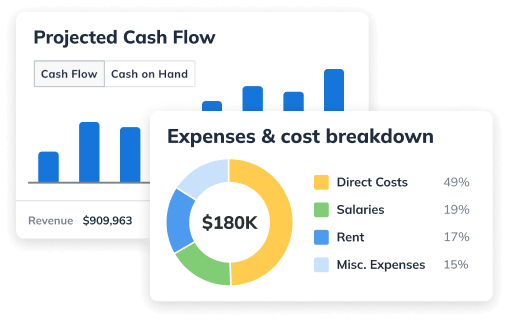
- Project cash flow with precision
- Generate complete financial statements (income statement, balance sheet, cash flow statement)
Venturekit offers basic financial projections that may be insufficient for complex business models or for satisfying the detailed requirements of sophisticated investors or lenders.
LivePlan delivers investor-grade financials without the spreadsheet hassle. It guides you through building detailed forecasts for revenue, expenses, cash flow, P&L, balance sheets, and more.
Venturekit, in contrast, offers only basic auto-generated financials with minimal customization. Users found Venturekit’s projections “came across as unrealistic for [their] industry”, likely because the AI makes blind assumptions. It doesn’t support multiple scenarios or deep financial modeling.
Scenario Planning
LivePlan includes powerful scenario planning functionality that allows users to:
- Create multiple financial scenarios (conservative, moderate, aggressive – for example)
- Compare different strategic approaches
- Assess various pricing models
- Evaluate different staffing plans
- Prepare for contingencies
- Make more informed strategic decisions
Venturekit does not offer comparable scenario planning capabilities, limiting users’ ability to explore different potential business outcomes or prepare for various market conditions.
Industry Data & Market Research
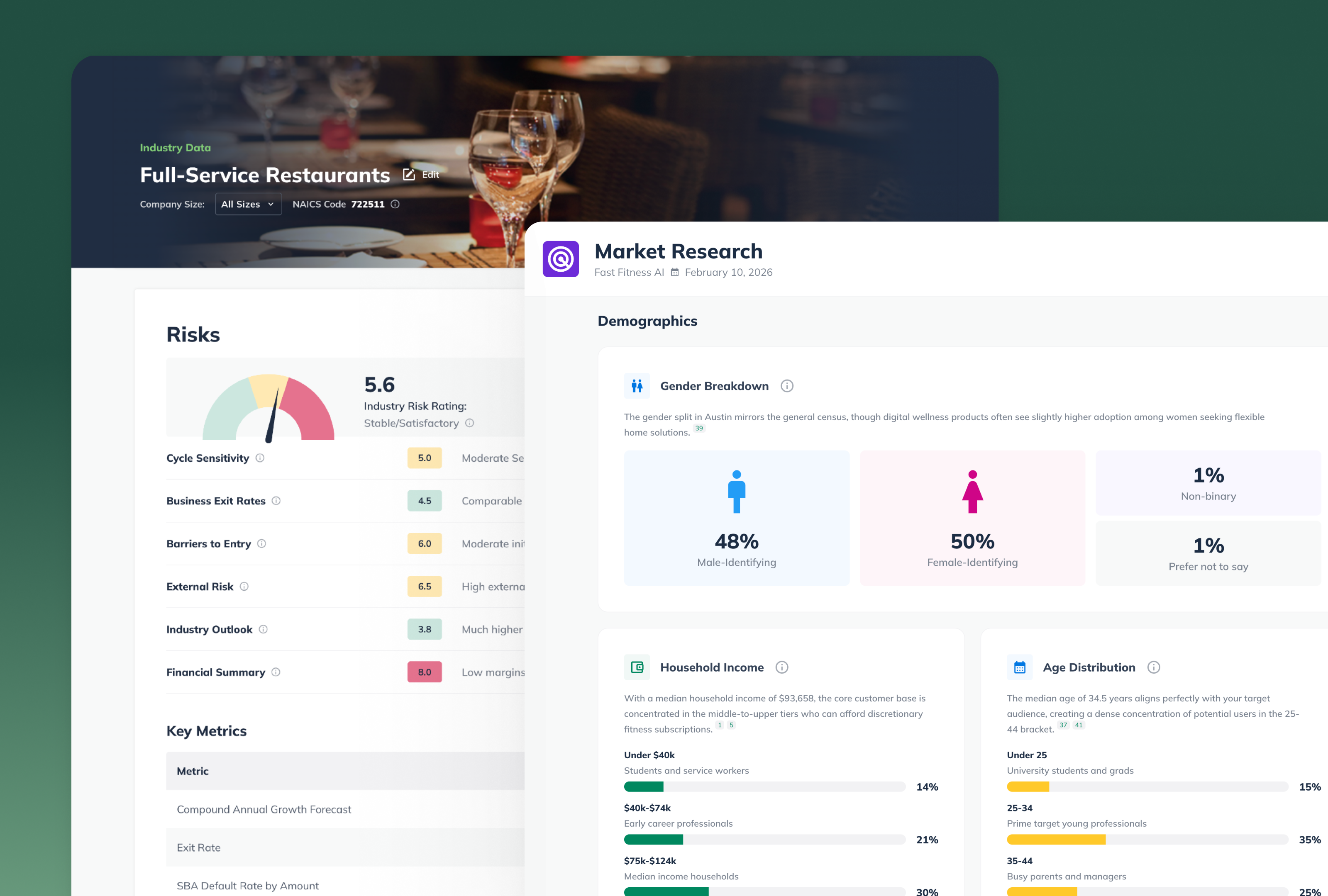
LivePlan incorporates industry reports from reputable research firms, providing:
- Benchmarking data for realistic projections
- Industry-specific financial ratios and metrics
- Market size and growth information
- Competitive analysis frameworks
- Trustworthy third-party validated data
Venturekit uses AI to source industry information, which can lead to:
- Potentially outdated or unverified data
- Generic industry assessments
- Less reliable benchmarking information
- Difficulty supporting projections with credible sources
Your business is unique – your plan should be too. LivePlan delivers rich, tailored content that reflects your industry and business model. From the moment you start, LivePlan asks about your industry and leverages reliable data sources to give you relevant insights.
Other tools simply can’t do this. Venturekit, for instance, relies on a generic AI model that doesn’t incorporate real industry research – users have found that it literally makes up statistics and market figures to fill the plan. As one entrepreneur lamented, Venturekit’s plan “missed the mark on crucial specifics” for their tech business.
Accounting Software Integration
LivePlan stands out with its robust integrations with popular accounting software like QuickBooks and Xero. These integrations serve multiple critical functions:
- Automatically import financial data from your accounting software
- Compare actual performance against your forecasts
- Update projections based on real financial data
- Track key metrics in real-time
- Simplify reporting to stakeholders
Venturekit lacks accounting software integrations, requiring manual data entry for financial tracking and preventing real-time performance monitoring against forecasts.
One of LivePlan’s biggest advantages is that it’s not just a tool for writing a plan – it’s a tool for managing your business. LivePlan grows with you. After you finish your business plan, LivePlan’s features like the Dashboard and Live Forecast become invaluable. You can connect LivePlan to your accounting software (QuickBooks or Xero) in a few clicks. This allows LivePlan to automatically import your actual sales, expenses, and cash flow data and compare them to your forecast. Essentially, LivePlan becomes your business financial dashboard, showing you in real time how you’re performing versus your plan.
This kind of continuous insight lets you make informed decisions and adjustments before small issues become big problems. It’s like having a GPS for your business: you set the destination with your plan, and LivePlan helps you navigate and course-correct along the way.
Venturekit offers none of this. It is essentially a point-in-time plan generator. Once it spits out the business plan document, the tool’s job is done. There’s no concept of tracking performance or updating the plan with real data. In fact, Venturekit doesn’t integrate with QuickBooks or any accounting system, so it wouldn’t know if your actual finances are veering off-plan.
Automatically Updated Forecasts
LivePlan can automatically update your forecasts by:
- Connecting directly to accounting software
- Importing actual financial data in real-time
- Adjusting projections based on performance
- Highlighting variances between planned and actual results
- Saving hours of manual data entry and calculation
Venturekit requires manual updates to financial projections, creating extra work and increasing the risk of outdated or inaccurate forecasts.
As one review pointed out, many AI plan tools (Venturekit included) are “a starting point, not the full solution”. LivePlan, however, delivers value long after your initial plan is written. Its “Live Forecast” feature can even update your financial projections with one click using your latest accounting actuals, ensuring that your budget and forecast are always accurate and up-to-date.
Dashboard & Performance Tracking
LivePlan includes a comprehensive dashboard that transforms your business plan into an active management tool. The dashboard:
- Displays key performance indicators in visual formats
- Compares planned versus actual performance
- Tracks revenue, expenses, and profits
- Monitors cash flow in real-time
- Highlights trends and potential issues
- Facilitates data-driven decision making
Venturekit does not offer a comparable dashboard feature, preventing users’ ability to track performance against projections and making it more difficult to use the business plan as an ongoing management tool.
Pricing Comparison
LivePlan offers transparent pricing with several options to meet different needs:
- Monthly subscription with no long-term commitment
- Annual plan with significant savings
Venturekit provides subscription-based pricing, but users should carefully review what features are included in each tier to ensure they’re getting all the functionality they need. The “free” option is misleading as users don’t get access to their entire plan, can’t edit the financial forecasts, and can’t print or export their plan.
Trust & Credibility
LivePlan is developed by Palo Alto Software, an established company with over 30 years of experience in business planning software. The company:
- Has helped millions of entrepreneurs worldwide
- Features transparent company information and leadership
- Showcases verified customer success stories
- Maintains a strong reputation in the small business community
- Provides responsive customer support
- Offers educational resources beyond the software itself
Venturekit raises some concerns regarding transparency:
- Limited information about the company behind the product
- Success stories that are difficult to verify
- Newer market entrant with less established track record
- Unclear commitment to ongoing product development
Choosing the right business planning platform isn’t just about features – it’s also about the company and community behind the product. LivePlan has been around for over a decade (and is built on Palo Alto Software’s 30+ years of experience in business planning).
This means when you choose LivePlan, you’re choosing a proven, trusted solution. The platform is continually updated and improved, and there’s a wealth of resources (guides, articles, webinars, and customer support) to help you succeed. LivePlan’s customer support is known to be responsive and knowledgeable – real humans who understand business planning.
Venturekit, in contrast, is a relatively new entrant with a far shorter track record. It doesn’t publicize much about its team or their credentials in business planning. There are few (if any) third-party reviews or success stories that verify its effectiveness in the real world (beyond marketing claims).
While the team behind Venturekit may very well be passionate, the platform simply hasn’t been battle-tested by a large user base over many years like LivePlan has. Additionally, Venturekit’s customer support and documentation appear limited – if you hit a snag, you might be left on your own.
For entrepreneurs, that lack of community and support can be critical. With LivePlan, you’re joining a large community of users and experts. You can find answers on LivePlan’s help center or get help from their support team or even hire a LivePlan expert. Venturekit, being newer, just can’t offer the same ecosystem of support and trust.
Pros & Cons Summary
LivePlan Pros:
- Comprehensive accounting software integration
- Detailed performance dashboard
- Extensive library of 550+ sample business plans
- Trustworthy industry data from reputable sources
- Fully customizable plans and forecasts
- Sophisticated financial forecasting
- Multiple scenario planning capabilities
- Specialized AI that learns about your business
- Automatically updated forecasts
- Established company with proven track record
LivePlan Cons:
- More features may mean slightly steeper learning curve
- Premium features command a premium price
Venturekit Pros:
- Simple, streamlined interface
- AI-driven approach may appeal to some users
- May be sufficient for very basic planning needs
Venturekit Cons:
- No accounting software integration
- Lacks performance dashboard
- Limited sample plans
- Questionable data sources
- Restricted customization options
- Basic financial forecasting only
- No scenario planning
- Generic AI writing assistance
- Manual forecast updates required
- Concerns about company transparency
What Real Users Are Saying
Venturekit Users Report:
- ❌ “It felt like the plan was crafted with such a broad brush that it didn’t account for the nuances of [my] industry.”
- ❌ “Several key sections appeared to lack detail; it was almost like receiving a template that expected more expertise.”
- ❌ “The AI-generated business plan for my tech repair shop certainly looks sleek at first glance, but it missed the mark on crucial specifics.”
- ❌ “It generally lacked the strength to substantively inform investment decisions.”
LivePlan Users Experience:
- ✅ “The AI Assistant provides useful suggestions, generates high-quality writing, and adapts to your input.”
- ✅ “I could input minimal details or go all in, and the output was always well-written and accurate.”
- ✅ “It brought up options I hadn’t considered, and I added them to my forecast with just a click.”
- ✅ “Unlike other tools that lock you into your choices, I could add more details for each section, fine-tuning the output even further.”
These candid testimonials highlight the stark contrast in quality. Venturekit’s own users call out the platform’s generic output and missing details, while LivePlan’s users praise its adaptive AI and accuracy.
Conclusion: Which Is Right For You?
While both LivePlan and Venturekit aim to simplify the business planning process, LivePlan clearly offers the more comprehensive, versatile, and trustworthy solution. Its robust feature set, accounting integrations, detailed financial forecasting, and performance tracking capabilities make it the superior choice for entrepreneurs serious about planning and growing their businesses.
Venturekit might suffice for users seeking a very basic planning tool, but its limitations in critical areas like financial forecasting, customization, and accounting integration significantly reduce its practical value as a business management tool.
For entrepreneurs who want to create professional-quality business plans that can serve as effective roadmaps and management tools, LivePlan provides the comprehensive functionality, trustworthy data, and ongoing value that makes it the clear winner in this comparison.
Ready to create a professional business plan that will help your business succeed? Get started with LivePlan today.

Noah Parsons
Before joining Palo Alto Software, Noah Parsons was an early Internet marketing and product expert in the Silicon Valley. He joined Yahoo! in 1996 as one of its first 101 employees and become Producer of the Yahoo! Employment property as part of the Yahoo! Classifieds team before leaving to serve as Director of Production at Epinions.com. He is a graduate of Princeton University.Noah devotes most of his free time to his three young sons. In the winter you'll find him giving them lessons on the ski slopes, and in summer they're usually involved in a variety of outdoor pursuits.Noah is currently the COO at Palo Alto Software, makers of the online business plan app LivePlan.